



Canon PIXMA G3480 AIO
мастиленоструйно мултифункционално устройство: цена и описание
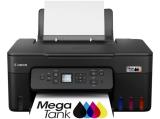
кликнете на снимката за голям размер


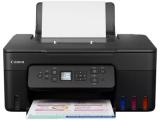
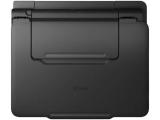
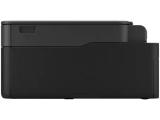
|
Производител: CanonМодел: PIXMA G3480 AIO
|
ЦЕНА: 302.99 €*
Срок за доставка: 7-10 дни!  


цена без ДДС: 252.49 €*
* Цените са в евро. Актуализация: 25-09-2026 |
Доставката за град София е БЕЗПЛАТНА!
Защо да купите Canon PIXMA G3480 AIO от нас?
- Защото цените ни са едни от най-добрите на пазара;
- Защото имаме реални магазини за компютри, в които можете да ни намерите по всяко време;
- Защото имате истинска гаранция, при това към нас!
 Поради голямото количество компютърни части и компоненти цените и наличностите им няма как да бъдат обновявани ежечасно, и поради тази причина, е възможно актуалните цени и наличности за конкретен наш магазин да се различават от посочените. Препоръчваме Ви да ни потърсите при интерес към Canon PIXMA G3480 AIO !
Може да поръчате Canon PIXMA G3480 AIO и посредством куриер. Работим с Еконт, като доставка до техен офис в страната е на по-ниска цена отколкото доставка до адрес.
На фокус: Canon PIXMA G3480 AIO
| Категория: мултифункционално устройство (A4) |
Вид ( тип ) на устройството: мастиленоструйно ( цветен ) |
Интерфейс на устройството: USB, Wi-fi |
Ако нямате идея, или не сте запознати със съкращенията или обозначенията на техническите характеристики, не се колебайте да ни потърсите за допълнителна информация. Можете да направите това на мейл, Вайбър, Дискорс, УотсАпп или телефон по удобния за Вас начин ( вижте страницата с контактите ).
Ние ще Ви помогнем да изберете вярното решение за Вашия случай.
Спецификации на мастиленоструйно мултифункционално устройство Canon PIXMA G3480 AIO
Обърнете внимание, че принтерите (от завода) идват без интерфейсни кабели (от производителя не са включени в комплекта), цената на които в масовия случай е около 2 €!
CANON PIXMA G3480 AIO 6708C009AC, 4549292235753
Canon PIXMA G3480
Enjoy low-cost, high-quality documents and photos and fast two-sided prints with this easy to use, refillable and Wi-Fi-equipped 3-in-1 home printer.

Make huge savings on home printing, print two-sided documents quickly and print wirelessly with ease with this highly efficient MegaTank printer. Thanks to its refillable ink tanks, a single set of ink bottles can deliver up to 8,100 prints1, making running costs refreshingly low compared to cartridge-based printers.
Make huge savings over the printer’s lifetime thanks to refillable high-yield ink tanks. Print 6,0002 pages from a black ink bottle (7,600 in Economy) and 7,7002 pages from a set of colour ink bottles (8,100 in Economy)


Both documents and photos look fantastic, thanks to pigment black ink and dye-based colour inks. And they arrive quickly too, with print speeds of 11.0 ipm (mono) and 6.0 ipm (colour) and automatic duplex printing
Print seamlessly from a range of devices with Wi-Fi connectivity and support for PIXMA Cloud Link (now with no login requirement for faster access), Canon PRINT app, Apple AirPrint and more.


Easy, straightforward day-to-day use thanks to a tilting 1.35” LCD panel and single-action print head installation
Keep downtime to a minimum thanks to the user-replaceable maintenance cartridge and mechanical ID no-squeeze ink bottles


Get creative at home with the ability to print on magnetic, iron-on and matte photo paper
General Specifications
- Model: PIXMA G3480
- Functions: Wi-Fi, Print, Scan & Copy, Cloud
Specifications
- Print Resolution: Up to 4800 x 1200 dpi1
- Print Technology
- 2 FINE Print Head (Black and Colour)
- Refillable ink tank printer
- Mono Print Speed: approx. 11 ipm2
- Colour Print Speed: approx. 6.0 ipm3
- Photo Print Speed: Borderless 10x15cm : Approx. 45 seconds4
- Borderless Printing: Yes A4, B5, LTR, 4" x 6", 5" x 7", 7" x 10", 8" x 10", Square 3.5" (89 mm x 89 mm), Square 5" (127 mm x 127 mm), Card Size (55 mm x 91 mm)5 Two Sided Printing Auto 2-sided printing
and
- Standard Ink Bottles
- Included:
- GI-41 <PGBK>
- GI-41 <C>
- GI-41 <M>
- GI-41 <Y>
- Optional:
- GI-41S <PGBK>
- GI-41S <C>
- GI-41S <M>
- GI-41S <Y>
- Maintenance Cartridge: MC-G07(User Replaceable)
- Bottle Yield (Plain Paper): GI-41 Ink Bottle Yield (Plain paper):
- A4 colour documents printing 6
- Black: 6,000 pages (Economy mode 7,600 pages)7
- Colour: 7,700 pages (Economy mode 8,100 pages)8
- * Estimated supplemental yield
- GI-41S Ink Bottle Yield (Plain paper):
- A4 colour documents printing9
- Black: 3,100 pages (Economy mode 3,900 pages)10
- Colour: 4,400 pages (Economy mode 4,600 pages)11
- * Estimated supplemental yield
- Bottle Yield (Photo Paper): GI-41 Ink Bottle Yield (Photo print): 10x15cm colour photo printing12 : Colour: 2,200 photos
- * Estimated supplemental yield
- GI-41S Ink Bottle Yield (Photo print): 10x15cm colour photo printing13
- Colour: 1,200 photos
- * Estimated supplemental yield
Support
- Paper Types: Plain Paper
- Red Label Superior 80 g/m2 (WOP111), Canon Oce Office Colour Paper 80 g/m2 (SAT213) Photo Paper Pro Luster (LU-101), Photo Paper Plus Glossy II (PP-201) Matte Photo Paper (MP-101), Glossy Photo Paper "Everyday Use"(GP-501) High Resolution Paper (HR-101N), Envelope, Photo Paper Plus Semi-gloss (SG-201), Greeting Card (manufactured by Avery and RedRiverPaper), Cardstock (manufactured by Neenah Paper and INKPRESS), Restickable Photo Paper (RP-101) Magnetic Photo Paper (MG-101) Dark Fabric Iron on Transfers (DF-101), Double sided Matte Paper (MP-101D), T-Shirt Transfer
- Maximum Paper Input: Rear Tray: Max. 100 sheets (plain paper)
- Paper Sizes: A4, A5, A6, B5, LTR, LGL, Executive, Foolscap, F4, Oficio2, B-Oficio, M-Oficio, 4" x 6" (10 x 15 cm), 5" x 7" (13 x 18 cm), 7" x 10" (18 x 25 cm), 8" x 10" (20 x 25 cm), Envelopes DL, Envelopes COM10, Envelopes C5, Envelopes Monarch, Square 3.5" (89 mm x 89 mm), Square 5" (127 mm x 127 mm), Card Size (55 mm x 91 mm)
- Paper Weight
- Rear Tray: Plain paper: 64 - 105 g/m²
- Canon specialty paper: max paper weight : approx. 265 g/m² (Photo Paper Plus Glossy II PP-201)
Specifications
- Scanner Type: CIS flatbed photo and document scanner
- Scanner Resolution (Optical): 600 x 1200 dpi14
- Line Scanning Speed
- Colour: 3.5 ms/line(300dpi)15
- Greyscale: 1.5 ms/line(300dpi)16
- Scanning Depth (Input / Output)
- Colour: RGB each 8bit
- Greyscale: 8 bit
- Maximum Document Size: A4/LTR
Specifications
- Copy Speed
- sFCOT: Approx. 23 sec17
- sESAT: Approx. 3.2 ipm18
- Copy Quality: 3 levels (Economy, Standard, High)
- Intensity Adjustment: 9 positions, Auto intensity (AE copy)
- Multiple Copy: 99 copies (max.)
- Copy Functions: Document Copying, Photo Copying, Borderless copy, 2-on-1 and 4-on-1 copy, Two-Sided Copying, Frame erase copy, ID copy
- Copy Zoom: 25 - 400% (in 1% increments)
- Fit to page: A5 to A4, B5 to A4, A4 to A5 and A4 to B5
- Display Type & Size: 1.35 " / 3.4 cm Square LCD (Monochrome)
- Wireless LAN
- Supported Standards: IEEE802.1 b/g/n/19
- Security: WPA-PSK (AES), WPA2-PSK (AES), WPA3-SAE (AES)
- Frequency Band: 2.4 GHz*
- * Frequency band width and available channels differ depending on country or rigion
- Interface: Hi-Speed USB (USB B Port)
- Communication Protocols: SNMP, HTTP, TCP/IP (IPv4/IPv6)
- Internet Security Protocols: 1.3/ 1.2/ 1.1/ 1.0
- Mobile Apps
- Canon PRINT app20
- Creative Park app21
- Easy-PhotoPrint Editor app22
- Printer Features
- Easy-PhotoPrint Editor Software23
- PIXMA Cloud Link (print)
- Canon Print Service Plugin (Android)24
- Apple AirPrint25
- Wireless Direct26
- Mopria (Android)27
- Smart Assistant & Automation Support: Amazon Alexa™28
- Supported Operating Systems:
- Windows 11, Windows 10, Windows 8.1, Windows 7 SP1
- Operation can only be guaranteed on a PC with pre-installed Windows 7 SP1 or later. .NET Framework is required.
- Printer driver and IJ Printer Assistant Tool support the following OS.: Windows Server 2008 R2 SP1, Windows Server 2012 R2, Windows Server 2016, Windows Server 2019, Windows Server 2022
- Mac: macOS Big Sur 11.7.6 ~ macOS Sonoma 14
- Chrome OS
- iPad OS
- Supported Mobile Systems: iOS®, Android™29
- Windows 11, Windows 10, Windows 8.1, Windows 7 SP1
- Minimum System Requirements: Display: 1024 x 768 XGA
- Software Included: Printer Driver
- IJ Printer Assistant Tool
Features
- Weight: approx. 6.5 kg
- Dimensions (W x D x H)
- Approx. 416 x 363 x 177 mm (with trays retracted)
- Approx. 416 x 555 x 268 mm (with trays extended)
- Acoustic Noise Levels: approx. 49.0 dB(A)30
- Recommended Operating Environment
- 5-35°C
- 10-90%RH (no dew condensation)
- Power Source: AC 100-240V, 50/60Hz
- Power Consumption
- Off: Approx. 0.1W
- Standby (USB connection to PC): Approx. 0.8W
- Standby (all ports connected): Approx. 1.3W
- Time to enter Standby mode: 11 minutes 0 sec"
- Copying: Approx. 18W31
- * The wait time for standby cannot be changed.
- Typical Electricity Consumption: 0.19 kWh32
- Ink droplets can be placed with a minimum pitch of 1/4800 inch
- A4 document print speed on plain paper is measured based on average of ESAT in Office Category Test of ISO/IEC 24734 standard.
- A4 document print speed on plain paper is measured based on average of ESAT in Office Category Test of ISO/IEC 24734 standard.
- Photo print speed is based on default driver setting using ISO/JIS-SCID N2 standard on Canon Photo Paper Plus Glossy II and does not take into account data processing time on host computer.
- Paper types NOT supported for borderless printing are as follows: Envelope, High Resolution Paper, T-Shirt Transfer, Photo Stickers
- Page Yield is the estimated value based on Canon individual test method using the ISO/IEC 24712 chart and continuous printing simulation with the replacement after initial setup.
- The economy mode reduces the black ink consumption by lowering the density, 26% more pages than the standard mode can be printed
- The economy mode reduces the black ink consumption by lowering the density, 26% more pages than the standard mode can be printed
- Page Yield is the estimated value based on Canon individual test method using the ISO/IEC 24712 chart and continuous printing simulation with the replacement after initial setup.
- The economy mode reduces the black ink consumption by lowering the density, 26% more pages than the standard mode can be printed
- The economy mode reduces the black ink consumption by lowering the density, 26% more pages than the standard mode can be printed
- Page Yield is the estimated value based on Canon individual test method using the ISO/IEC 29103 chart and continuous printing simulation with the replacement after initial setup.
- Page Yield is the estimated value based on Canon individual test method using the ISO/IEC 29103 chart and continuous printing simulation with the replacement after initial setup.
- Optical resolution is a measure of maximum hardware sampling resolution, based on ISO 14473 standard. Maximum optical resolution scan is available, only when you use TWAIN Driver.
- The fastest speed in Hi-Speed USB on Windows PC. Transfer time to computer is not included.
- The fastest speed in Hi-Speed USB on Windows PC. Transfer time to computer is not included.
- Colour document copy speed is measured based on average of sFCOT and sESAT in Performance Test of ISO/IEC 29183 standard. Copy speed may vary depending on document complexity, copy mode, page coverage, type of paper used etc. and does not take into account warming up time.
- Colour document copy speed is measured based on average of sFCOT and sESAT in Performance Test of ISO/IEC 29183 standard. Copy speed may vary depending on document complexity, copy mode, page coverage, type of paper used etc. and does not take into account warming up time.
- Wireless printing requires a working network with wireless 802.11b/g/n/ capability, operating at 2.4GHz. Wireless performance may vary based on terrain and distance between the printer and wireless network clients.
- Requires an Internet connection and the Canon PRINT Inkjet/SELPHY app, available for free on the App Store and at Google Play. Compatible with iPad, iPhone 3GS or later, and iPod touch 3rd generation or later devices running iOS 7.0 or later, and Android mobile devices running Android 2.3.3 or later. Your device must be connected to the same working network with wireless 802.11 b/g/n/a capability as your printer. Requires a compatible social media account and is subject to that social media accounts Terms of Service. Certain exceptions may apply.
- Requires an Internet connection and the Creative Park app, available for free on the App Store and at Google Play. Compatible with iOS 12.0 or later/Android OS 5.0 or later operating systems. You must have a Canon ID and a Canon inkjet printer to use this app.
- The Easy-PhotoPrint Editor mobile application requires an Internet connection and the Easy-PhotoPrint Editor app v1.1.0, available for free on the App Store and at Google Play. Compatible with iPad Air2 (2nd Generation), iPad Mini 4 and iPhone 6s or later devices running iOS 10 or later, and Android mobile devices running Android 5.x or later. Certain exceptions may apply. The following file formats are supported: JPEG, PNG, HEIF (devices running iOS 11 and mac OS v10.13 or later), DLP save data, Poster Artist export data, EasyPhoto+ export data, Easy-PhotoPrint Editor export data.
- The Easy-PhotoPrint Editor software requires an Internet connection and is compatible with the following operating systems; Microsoft Windows 10 (64-bit/32-bit), Microsoft Windows 8.1 (64-bit/32-bit), Microsoft Windows 7 SP1 (64-bit/32-bit), macOS High Sierra v10.13, macOS Sierra v10.12, Mac OS X El Capitan v10.11 and Mac OS X El Capitan v10.10.5. Minimum Windows and macOS/Mac OS X requirements are: 2GB of RAM and a monitor with 1024x768 resolution.
- Canon Print Service is a print plug-in for Android smart devices, which enables printing from Android v4.4 - v5.0 devices to many Canon printers via a Wi-Fi network. The plug-in does not work as a standalone app. Available for free at Google Play.
- AirPrint functionality requires a compatible iPad, iPhone, or iPod Touch device running iOS 7.0 or later, and an AirPrint-enabled printer connected to the same network as your iOS device. A printer connected to the USB port of your Mac, PC, AirPort Base station, or Time Capsule is not supported.
- Requires a smart device with the Canon PRINT app installed and connected to the desired active wireless network to complete cableless setup.
- Requires Android mobile device with Android 4.4 operating system or later with the Mopria Print Service pre-loaded with that device and the compatible PIXMA printer on the same wireless network. The Mopria experience is also available on Android 4.4 mobile devices with a download of the Mopria Print Service from Google Play.
- Requires an active smart assistant account linked and accompanying app enabled, the smart device and printer to be actively connected with permission to the Canon Inkjet Cloud Printing Center, and the required action(s), skill(s), or applet(s) available/enabled to the compatible printer. Voice commands can not be displayed as text on Amazon smart devices with screens. Only English, French and German supported.
- Some functions may not be available with these Operating Systems. Please refer to the manual or website for details.
- Plain Paper(A4, B/W). Acoustic Noise is measured based on ISO7779 standard.
- Copy: When copying ISO/JIS-SCID N2 (printed by inkjet printer) on A4 size plain paper using default settings.
- Typical Electricity Consumption (TEC) value: TEC value was calculated assuming the unit will be constantly switched among operational mode, sleep mode, and power-off mode for 5 days, and that it will be either in sleep or power-off mode for the remaining 2 days within the same week. The TEC value of this product is calculated by Canon on their own accord using TEC measurement procedure regulated in International ENERGY STAR Program.
Гаранционен срок: 24 месеца
* Ако производителя дава по-голям гаранционен срок, гаранцията се поема от производителя, след изтичането на гаранцията дадена от София Компютърс.
* София Компютърс не гарантира и не носи отговорност за непълна или грешно публикувана информация и снимки!
ФОРМА ЗА ОНЛАЙН ПОРЪЧКА
ОЩЕ ПРЕДЛОЖЕНИЯ за мултифункционално устройство:
-
Brother MFC-L5710DW White
666 € -
OKI MC760dnfax
2351 € -
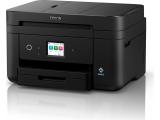
Epson WorkForce WF-2960DWF
151 € -
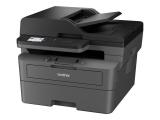
Brother MFC-L2860DWE
385 €
ПРОМОЦИИ НА ПРИНТЕРИ И СКЕНЕРИ
-
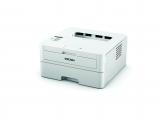
лазерен принтер
Ricoh SP 230DNW
213 €. -
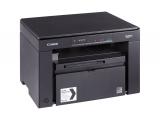
лазерно мултифункционално устройство
Canon i-SENSYS MF3010 + 2 x Cartridge 725
265 €. -
A5 резервни части
Paper Хартия Double A Premium A5 500 л. 80 g/m2
7 €. -
- резервни части
Epson ink maintenance box, C13T671600
35 €.
За контакти с нас може да разгледате секция Контакти.
Можете да разгледате още ПРИНТЕРИ, СКЕНЕРИ И КОПИРИ,
да се запознаете с настоящите промоции на ПРИНТЕРИ, СКЕНЕРИ И КОПИРИ
или да видите цените за пълнене, презареждане и рециклиране на тонер касети за Canon.
Безплатни доставки на компоненти за компютър, монитори, лаптопи и периферия, както и ремонт и поправка на компютри и компютърни услуги по домовете за кварталите: Банишора, Бели Брези, Борово, Бъкстон, Витоша, Гео Милев, Гоце Делчев, Дианабад, Драгалевци, Дружба, Дружба 1, Дружба 2, Дървеница, Западен Парк, Зона Б18, Б19, Б5, Иван Вазов, Изгрев, Изток, Илиенци, Княжево, Красна Поляна, Красно Село, Лагера, Левски, Лозенец, Ломско шосе, Люлин: Люлин 1 , 2, 3, 4, 5, 6, 7, 8, 9 и Люлин 10 , Манастирски ливади, Младост 1, Младост 1а, Младост 2, Младост 3, Младост 4, Мотописта, Мусагеница, Надежда 1, 2, 3 и Надежда 4, Обеля 1 и Обеля 2, Оборище, Овча Купел, Павлово, Пирогов, Подуене, Полигона, Разсадника, Витоша, Редута, Света Троица, Ситняково, Славия, Слатина, Стрелбище, Студентски Град, Триъгълника, Фондови Жилища, Хаджи Димитър, Хиподрума, Хладилника, Цариградско Шосе, Централна гара,Център и останалите райони на София* за поръчка на стойност над 100** €
Под тази сума, цената на доставката до офиса / дома (адреса) е 3.50 €** (вижте забележките).
Доставката за кварталите / градовете / селата: Чепинци, Сеславци, Кремиковци, Кубратово, Требич, Световрачене, Негован, Челопечене, Ботунец, Кривина, Казичене, Герман, Панчарево, Бистрица, Мърчаево, Владая, Мало Бучино, Иваняне, Пожарево, Гурмазово, Божурище, Костинброд, Мрамор, Мировяне, Нови Искър, Кумарица, Гниляне, Войнеговци, Локорско и другите близки до София е безплатна за поръчки на цена над 200** € Под тази сума, доставката е на цена според тарифите на куриерската фирма с която работим!!!
* - доставките се извършват през работните дни. За да Ви доставим компютърни компоненти в събота, е необходимо да направите заявка най-късно в петък до 16:00 часа. Възможно е допълнително договаряне според случая.
** - доставките за Южни райони (Павлово, Бъкстон, Манастирски Ливади, Борово, Бели Брези, Хиподрума, Лагера, Сухата река, Стрелбище и Лозенец), Източни райони (Младост 1, 2 , 3, и Младост 4, Дружба 1, Дружба 2, Изгрев, Изток, Редута, Студентски Град, Слатина), Югозападни райони (Овча Купел 1, Овча Купел 2, Красна Поляна, Разсадника и Сердика) и част от Западни райони (Люлин 1, 2, 3, 4, 5, 6, 7, 8, 9 и Люлин 10, Света Троица и Илинден) са безплатни (до вход на сграда) при поръчка над 100 €
***- при поръчка на стойност над 2 000 (две хиляди) €, е необходим депозит в размер на 20% от цената на поръчаните компютърни компоненти.
Забележка: Фирмата работи с куриерска фирма Еконт Експрес, но ако сте сигурни за цената на доставката ни потърсете.
Желаем ви приятни и ползотворни минути в нашия сайт, компютърни компоненти, компютърни услуги, промоции, изработка на сайт и уебстраници, абонаментна поддръжка, посещение по домовете и компютри и компоненти втора употреба.

Вход | Регистрация
Вашата количка »
0 продукта
Телефони:
(позвънете ни)
ж.к. Младост
 0885-117-820
 08-76772852
или 08-popravka
ж.к. Лагера:
0887-736668
или 0887-remont
ж.к. Люлин:
(временно само на адрес) 0879-04-12-99
Viber:
 Магазин Младост
Магазин Лагера
Discord:
 sofiacomputers
 e-mail
 Контакти »
Работно време:
магазин Младост:
понеделник-петък:
10:30-19:30
събота: 14:00-18:00
магазин Лагера:
понеделник-петък:
10:30-19:00
магазин Люлин:
временно затворен!
(ще отвори)
Ако видите по-ниска цена за мултифункционално устройство Canon PIXMA G3480 AIO , и искате да го закупите, ни потърсете, за да ви предложим цената, на която сте го намерили! Ние можем да Ви я дадем.
Можете да ни пишете на Discord/Viber или във формата за заявка в края на страницата, като посочите линк към мясото където сте го намерили на по-ниска цена.
Най-ново в мултифункционално устройство
На фокус мултифункционално устройство
Ново
Инсталация, инсталиране на Windows 11 »
Преинсталиране, преинсталация на Windows 11 »
ремонт на таблети »
Почистване на PS5 »
Почистване на Xbox Series X, S »
поправка, ремонт и сервиз на телефони »
Интересно
Сглобяване (асемблиране) на компютри »
Хардуерни почиствания »

